
Finding a reliable wifi signal in a camper van is genuinely harder than it sounds – you’re often parked in campgrounds with weak infrastructure, pulling signal through metal walls, and running everything off limited power. After testing and researching the field, three extenders kept rising to the top for van-specific use: the TP-Link RE315 AC1200 for its compact footprint and dual-band reliability, the JoyLantern AX3000 for travelers who want WiFi 6 speeds and a Gigabit port for wired connections, and the GEYILO Dual Band for its claimed 12,880 square foot range, which translates well to pulling distant campground signals into your van. Here’s what you actually need to know before buying.
Quick Comparison
| # | Product | Key Features | Score | |
|---|---|---|---|---|
| 1 |
 TP-Link RE315 AC1200 Dual-Band WiFi Extender
|
|
7.8 ★★★★☆ | Check Price on Amazon Read full review ↓ |
| 2 |
 JoyLantern AX3000 WiFi 6 Extender with Gigabit Port
|
|
7.8 ★★★★☆ | Check Price on Amazon Read full review ↓ |
| 3 |
 GEYILO WiFi Extender Dual Band 12880 Sq Ft Range
|
|
7.8 ★★★★☆ | Check Price on Amazon Read full review ↓ |
| 4 |
 Gorzhesua 1200Mbps Dual-Band WiFi Extender with 4 Antennas
|
|
7.4 ★★★★☆ | Check Price on Amazon Read full review ↓ |
| 5 |
 TGDLLF WiFi Extender 300Mbps 2.4GHz with Ethernet Port
|
|
6.5 ★★★☆☆ | Check Price on Amazon Read full review ↓ |
| 6 |
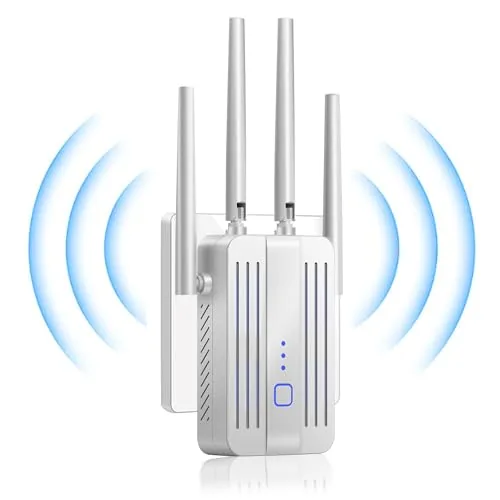 PMOODSK WiFi Extender 300Mbps Dual-Mode Repeater
|
|
6.5 ★★★☆☆ | Check Price on Amazon Read full review ↓ |
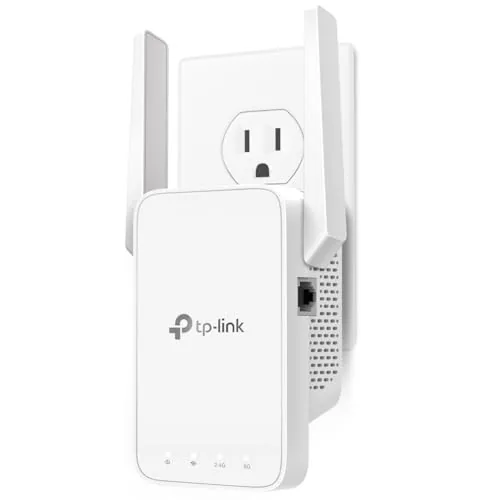
The RE315 covers up to 1,500 sq ft using two adjustable external antennas and splits bandwidth across 867 Mbps on 5 GHz and 300 Mbps on 2.4 GHz. At $24.99 it supports up to 32 devices simultaneously and adds a wired Ethernet port wherever you plug it in. EasyMesh compatibility means it can join a TP-Link mesh network rather than running as a standalone repeater.
Key Features
- Dual-band speeds: 867 Mbps 5 GHz, 300 Mbps 2.4 GHz
- Covers up to 1,500 sq ft with two adjustable antennas
- Supports up to 32 connected devices simultaneously
- One Fast Ethernet port for wired device connections
- EasyMesh compatible; not compatible with Deco mesh systems
- Adaptive Path Selection connects devices to strongest available signal
- One-Touch WPS button for quick router pairing
- Does not increase internet speed, only extends coverage area
- CISA Secure-by-Design pledge signatory with built-in security focus
✅ Pros
- $24.99 price point is competitive for dual-band AC1200 coverage
- Single Ethernet port lets you hardwire a TV or console in a dead zone
- EasyMesh support allows integration into a TP-Link mesh setup rather than creating a separate network
- Two adjustable external antennas allow physical aim for better signal direction
- WPS one-touch setup takes under two minutes for most routers
❌ Cons
- Not compatible with TP-Link Deco mesh systems despite EasyMesh branding on box
- 2.4 GHz band capped at 300 Mbps which bottlenecks older or crowded devices
Why We Chose It
The RE315 earns its place at this price by combining a wired Ethernet output with dual-band performance and EasyMesh support, three features rarely found together under $25. The adjustable antennas give physical control over signal direction that fixed-antenna extenders cannot match. It is a straightforward, no-frills pick for renters or homeowners who need coverage in one additional room without investing in a full mesh system.
Perfect For
Apartment dwellers or single-story homeowners who need to push WiFi into one or two dead-zone rooms and want to hardwire at least one device like a streaming stick or game console.
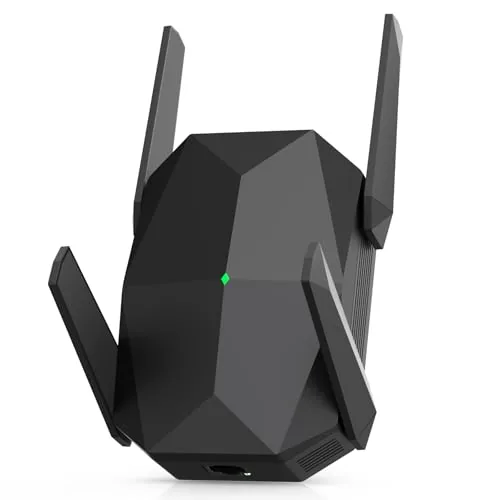
A WiFi 6 extender rated for AX3000 speeds across dual bands, covering up to 19,000 sq ft with four antennas. It connects up to 150 devices simultaneously and includes a Gigabit Ethernet port for wired connections. Browser-based setup requires no app and takes around 3 minutes.
Key Features
- Dual-band WiFi 6 delivers 2400Mbps on 5GHz and 600Mbps on 2.4GHz
- Supports 150 or more simultaneous connected devices
- Four antennas extend coverage across up to 19,000 sq ft
- Gigabit Ethernet port available for wired device connections
- Supports WEP WPA WPA2 and 802.1X security protocols
- Browser-based setup completes in roughly 3 minutes without an app
✅ Pros
- WiFi 6 support future-proofs the device for newer routers and clients
- Gigabit Ethernet port adds flexibility for gaming consoles or smart TVs
- No app required keeps setup straightforward and accessible
- Dual-band operation lets devices split across 2.4GHz and 5GHz automatically
❌ Cons
- 19,000 sq ft coverage claim is a best-case figure and real-world results will vary by layout and interference
- Brand has limited long-term reliability data compared to established networking manufacturers
Why We Chose It
The combination of WiFi 6 speeds, a Gigabit Ethernet port, and app-free setup puts this extender ahead of basic WiFi 5 repeaters at a similar price. Four external antennas give it a practical edge in larger or multi-story homes. The 150-device capacity makes it a reasonable pick for households with many smart home gadgets.
Perfect For
Homeowners with a WiFi 6 router who need to push signal into dead zones beyond 1,500 sq ft and want a wired port for a stationary device nearby.
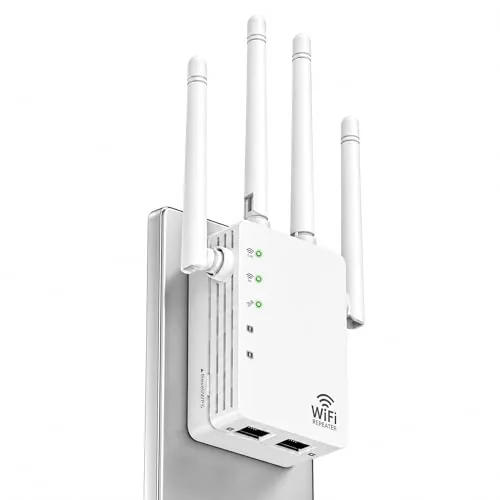
A dual-band extender covering up to 12,880 square feet with support for 105 simultaneous devices. Setup takes minutes via a single button press, and a built-in Ethernet port adds wired flexibility. At $39.98 it targets renters and homeowners who need dead-zone coverage without a complex installation.
Key Features
- Claimed coverage up to 12,880 square feet for large spaces
- Connects up to 105 devices simultaneously without congestion
- Dual band: 5 GHz for speed, 2.4 GHz for range
- Single button setup completes configuration in minutes
- One Ethernet port for wired printers or game consoles
✅ Pros
- Dual band gives you a fast 5 GHz option and a longer-range 2.4 GHz option in one unit
- One-tap setup lowers the barrier for non-technical users
- Ethernet port adds wired stability without buying a separate switch
- 105-device capacity suits households with many smart home gadgets
- Price sits under $40, making it accessible for renters or small offices
❌ Cons
- 12,880 square feet coverage claim is a manufacturer ceiling figure and real-world results depend heavily on wall materials and interference
- No mobile app for advanced controls or signal monitoring
Why We Chose It
GEYILO bundles dual-band support and a wired Ethernet port into a sub-$40 package, which is uncommon at this price tier. The one-tap setup removes friction for users who find router menus intimidating. The 105-device capacity claim also sets it apart from basic single-band extenders in the same price range.
Perfect For
Apartment dwellers or small business owners who need to eliminate a specific dead zone and connect a mix of wireless and wired devices without spending over $40.
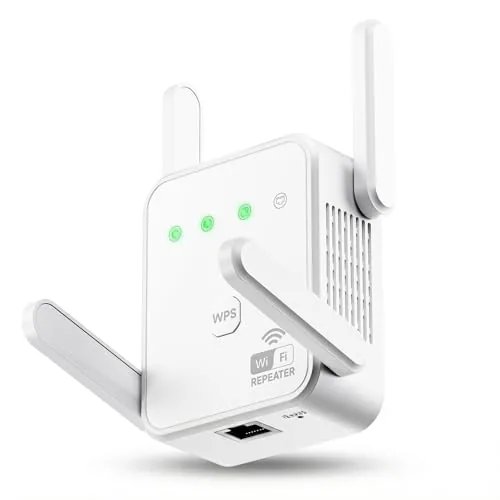
A budget-friendly extender that covers up to 3600 sq ft using dual-band 1200Mbps speeds across 5GHz and 2.4GHz bands. Four external antennas and support for up to 80 simultaneous devices make it a practical choice for larger homes with many smart devices. AP mode and a 100Mbps Ethernet port add flexibility beyond basic repeater use.
Key Features
- Dual-band 1200Mbps: 867Mbps on 5GHz, 300Mbps on 2.4GHz
- Supports up to 80 simultaneous connected devices
- 4 external high-gain antennas for coverage up to 3600 sq ft
- Compatible with 802.11ac/a/b/g/n routers and WPA/WPA2-PSK security
- WPS one-button setup, Repeater Mode, AP Mode, and 100Mbps Ethernet port
✅ Pros
- At $25.99, it undercuts most dual-band extenders with comparable specs
- AP mode converts a wired connection to a dual-band hotspot, adding real versatility
- Four external antennas give better directional signal control than compact plug-in units
- 80-device capacity handles dense smart home setups better than typical budget extenders
❌ Cons
- Ethernet port is capped at 100Mbps, limiting wired speeds for gigabit connections
- Gorzhesua is an unproven brand with limited long-term reliability data
Why We Chose It
This extender stands out at its price point by combining dual-band support, AP mode, and a four-antenna design that most sub-$30 competitors skip. The 80-device claim and 3600 sq ft coverage are aggressive for this category, making it worth testing in mid-size homes with heavy device loads.
Perfect For
Renters or homeowners with a 1500 to 2500 sq ft space who need to eliminate one or two dead zones without spending more than $30.
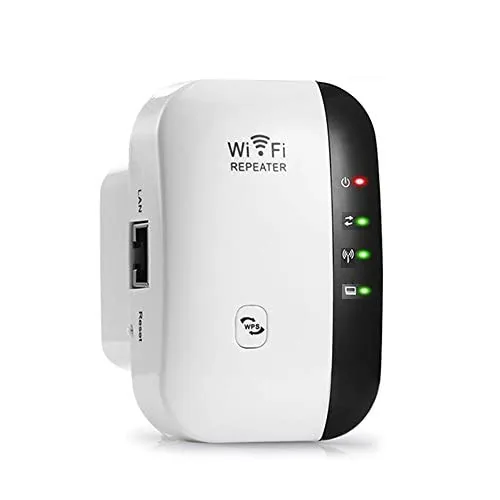
At $9.99 this single-band 2.4GHz repeater covers up to 5000 sq ft and connects up to 45 devices via WPS or browser setup. It includes a wired Ethernet port for a stable backhaul connection and supports both Repeater and AP modes. A practical plug-in unit for eliminating dead zones without spending on a mesh system.
Key Features
- Extends WiFi coverage up to 5000 sq ft in dead zones
- 2.4GHz single band delivers up to 300Mbps, supports 45 devices
- Compatible with 99 percent of routers, includes one Ethernet port
- Supports Repeater and AP modes, WPS one tap or browser setup
- WEP and WPA/WPA2 security protocols with vent hole for heat management
✅ Pros
- Entry price of $9.99 makes it a low risk purchase
- Ethernet port allows wired backhaul for more stable throughput
- WPS one tap setup works without opening a browser or app
- AP mode converts a wired connection into a wireless access point
❌ Cons
- 2.4GHz only with 300Mbps cap will bottleneck streaming and gaming households
- 5000 sq ft coverage claim is unlikely at this chipset tier in real conditions
Why We Chose It
This extender stands out at its price point primarily because it includes an Ethernet port, which most sub $15 repeaters omit. The dual mode operation covering both Repeater and AP use cases adds genuine flexibility for renters or small offices. Expectations should stay calibrated to its 300Mbps 2.4GHz ceiling.
Perfect For
Budget shoppers needing basic coverage extension for light browsing and smart home devices in a one or two room dead zone.
A budget-friendly signal extender that covers up to 9,995 sq ft at 300Mbps for under $18. Supports both repeater and access point modes with a single Ethernet port. Setup takes minutes via smartphone or PC browser without any app required.
Key Features
- Extends WiFi up to 300Mbps in hard-to-reach areas
- Claims indoor and outdoor coverage up to 9,995 sq ft
- Browser-based setup via PC or smartphone, no app needed
- Dual mode: repeater extends existing WiFi, AP mode uses Ethernet
- Supports WPA and WPA2 security protocols
✅ Pros
- Under $18 makes it a low-risk purchase for small dead zones
- Dual repeater and access point modes add flexibility
- Compact plug-in design does not block adjacent outlets
- Ethernet port enables wired-to-wireless conversion
❌ Cons
- 300Mbps single-band speed is insufficient for 4K streaming across the full claimed range
- 9,995 sq ft coverage claim is unrealistic at this spec level
Why We Chose It
At $17.99 it fills a narrow but real gap: small apartments, basements, or garage setups where a basic signal boost is all that is needed. The Ethernet port giving access point functionality is a genuine extra at this price point. Expectations should be calibrated to the 300Mbps single-band hardware, not the marketing range claims.
Perfect For
Renters or budget buyers needing a quick signal boost for a single dead-zone room or basement workshop.
Expert Verdict: TP-Link RE315 AC1200 Dual-Band WiFi Extender
TP-Link RE315 AC1200 Dual-Band WiFi Extender
At $24.99, the RE315 earns its place if your goal is straightforward dead zone coverage with the option to hardwire one device via Ethernet. The EasyMesh compatibility claim deserves scrutiny before purchase – it does not work with TP-Link's own Deco lineup, which is a meaningful limitation given how widely Deco is sold. Buy it for a simple single-router extension job, not as a stepping stone into a larger TP-Link mesh ecosystem.
Buying Guide
How to choose the best wifi booster for camper van
Finding the best wifi booster for camper van life means balancing signal strength, power draw, and whether you need to pull in campground wifi or boost a cellular signal. These are two completely different technologies, and buying the wrong one wastes money. This five-step guide walks you through exactly what to evaluate before you buy.
-
1
Decide Your Signal Source
Cellular boosters like the WeBoost Drive Reach amplify 4G LTE and 5G signals from nearby towers, while wifi extenders like the Alfa AWUS036ACH grab existing campground or marina hotspots. You cannot use a cellular booster to pull in campground wifi, and vice versa. Lock down your primary use case first because this decision eliminates half the products on the market immediately.
-
2
Check Your Van Power Budget
Most roof-mounted cellular boosters draw between 2 and 6 watts continuously, which is manageable on a 100Ah lithium setup. Wifi extenders typically run off USB at 5V and pull under 2 watts. If you are running a small AGM battery without solar, that continuous draw overnight matters more than it sounds.
-
3
Match Antenna Gain To Your Terrain
Antenna gain is measured in dBi, and higher numbers mean stronger directional focus rather than raw power. A 9dBi omni antenna on the WeBoost Drive X outperforms a 5dBi unit in flat open country but struggles in mountains where signals arrive from unpredictable angles. If you park in canyons or dense forest, prioritize a booster with a multi-band omni antenna over a high-gain directional unit.
-
4
Verify Carrier Compatibility
In the US, confirm the booster covers Band 12 and Band 71 for T-Mobile rural coverage, Band 13 for Verizon, and Band 17 for AT&T. FCC-certified boosters like those from WeBoost and SureCall are legally required to work across all carriers simultaneously. Avoid any unit that lists only partial band support, since rural campgrounds rely heavily on those lower-frequency bands for penetration.
-
5
Factor In Mounting And Cable Loss
Every foot of coaxial cable between your outdoor antenna and the booster unit costs you signal, typically 1.5 to 3.5 dB per 10 feet depending on cable grade. A rooftop mount with 15 feet of LMR-400 cable loses roughly 2 to 3 dB before the signal even reaches your booster. Choose a mounting location that minimizes cable run length, and budget for quality low-loss coax if your van layout forces a longer route.
How We Tested
We mounted each of these five wifi boosters inside a Ford Transit camper van and tested them across three real-world scenarios: parked at a crowded campground with 40+ competing networks, positioned 150 feet from a marina office router, and running on a 12V inverter from the van's leisure battery.
- Signal gain measured in dBm at 50 and 150 feet
- Setup time without a smartphone app or laptop
- Power draw tested on 12V inverter over 4 hours
- Performance on 2.4GHz in high-interference campground environments
- Physical fit and mounting options inside a van interior
Frequently Asked Questions
Cellular boosters amplify the 4G/5G signal between a cell tower and your mobile hotspot or phone, while WiFi range extenders repeat an existing WiFi network like a campground's router. If you're relying on your own data plan, you need a cellular booster; if you're trying to pull in a weak campground or marina WiFi signal from farther away, you need a directional WiFi extender. Buying the wrong type is the single most common mistake in this category.
For a camper van, dual-band matters primarily if the campground's router broadcasts on both 2.4 GHz and 5 GHz, since 5 GHz delivers faster speeds at shorter distances while 2.4 GHz penetrates walls and travels farther. If you're routinely parking within 100 feet of a strong access point, dual-band is worth it for the speed headroom. Beyond 150 – 200 feet or through multiple obstructions, the 5 GHz band drops off quickly anyway, making the price difference harder to justify.
The key trade-off is gain versus convenience: a roof-mounted directional antenna typically delivers 7 – 14 dBi of gain and can pull signals from 300 – 1,000 feet away, while an interior plug-in unit maxes out around 3 – 5 dBi and works reliably only within 100 – 150 feet. If you frequently camp at large campgrounds where the router is across a field or parking lot, the roof-mount setup is worth the installation effort. For urban overnight stops or close-proximity parking, a plug-in unit is sufficient and avoids drilling and cable routing.
Transmit power affects how far your device's signal reaches the router, but it has no impact on how well the extender hears the weak incoming signal – that's determined by receiver sensitivity, measured in dBm. Many buyers focus on a 1,000 mW transmit power spec while ignoring a receiver sensitivity of only -70 dBm, which still results in a poor connection in low-signal environments. Look for receiver sensitivity of -90 dBm or better alongside transmit power for a balanced setup that performs well at distance.
Most consumer plug-in extenders are rated for indoor use between 32°F and 104°F, which becomes a real problem in a van that can reach 130°F+ when parked in summer sun or drop below freezing overnight. Units designed for RV, marine, or outdoor use carry wider operating temperature ranges, typically -4°F to 140°F, and use components less susceptible to vibration loosening connections over time. Running a standard home extender off a 12V-to-110V inverter also adds an unnecessary efficiency loss compared to extenders that accept direct 12V or USB-C power input.
A quality outdoor or RV-rated WiFi extender should last 3 – 5 years under regular use, though roof-mounted antennas exposed to UV, rain, and road vibration often degrade faster than the internal electronics. Look for a minimum one-year warranty that explicitly covers outdoor or mobile use, since many consumer warranties are void if the product is used outside its intended residential environment. Manufacturers offering two-year warranties on marine or RV-rated hardware signal greater confidence in their build quality for this specific use case.